よくあるご質問
最近のよくあるご質問
【Bitfan IDを取得済みの方(無料会員登録済みの方)】 入会手順を知りたい
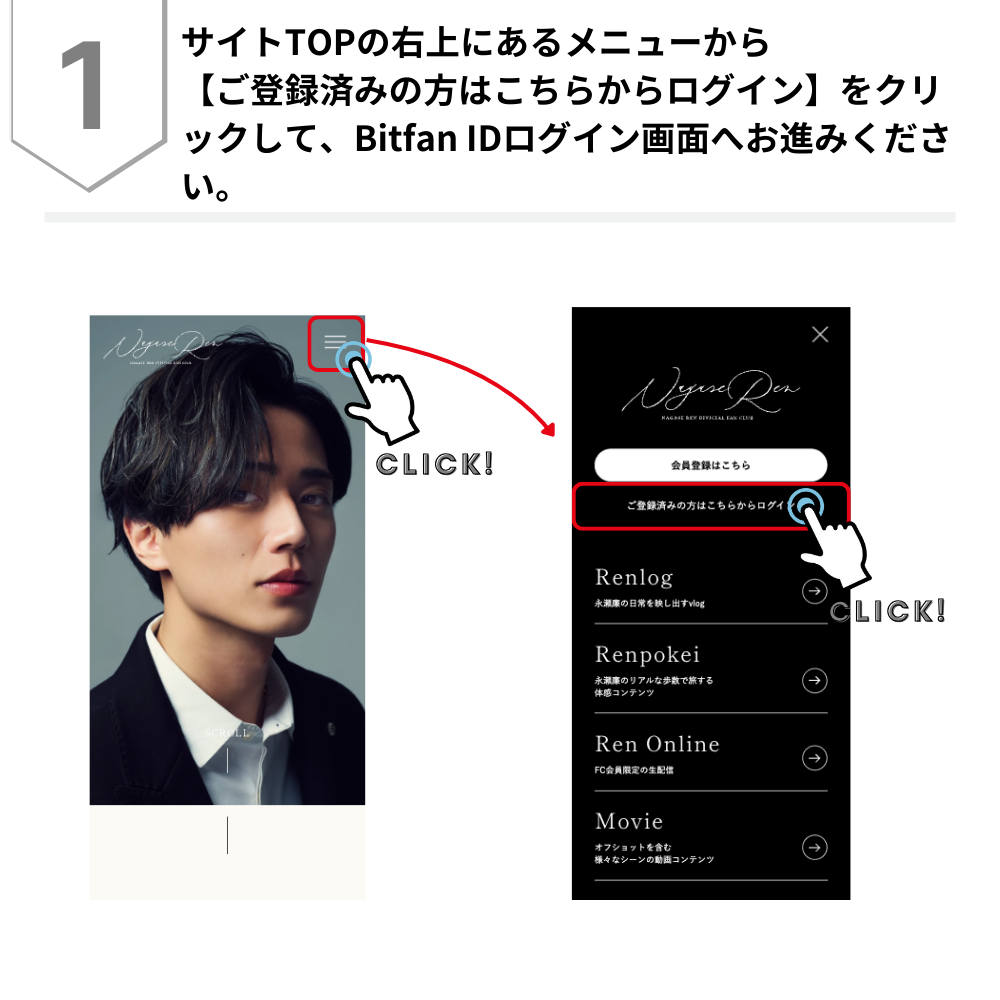
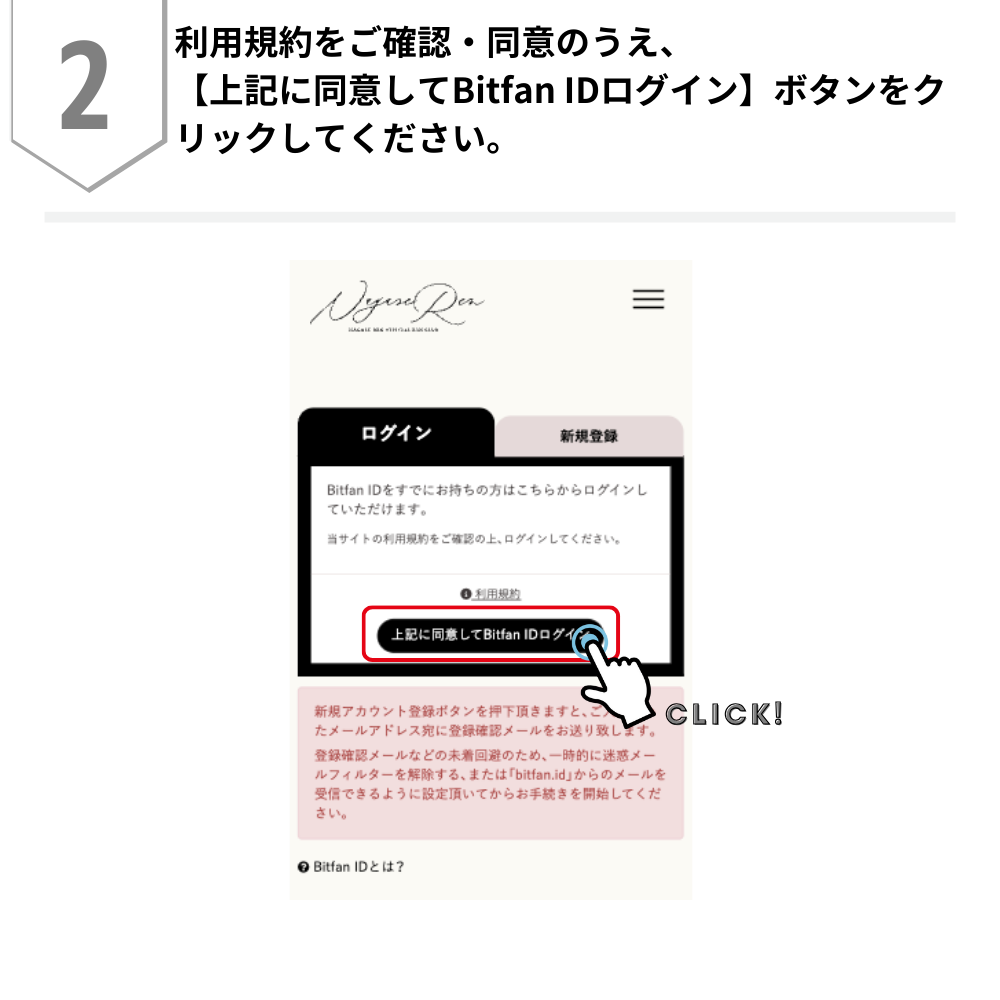
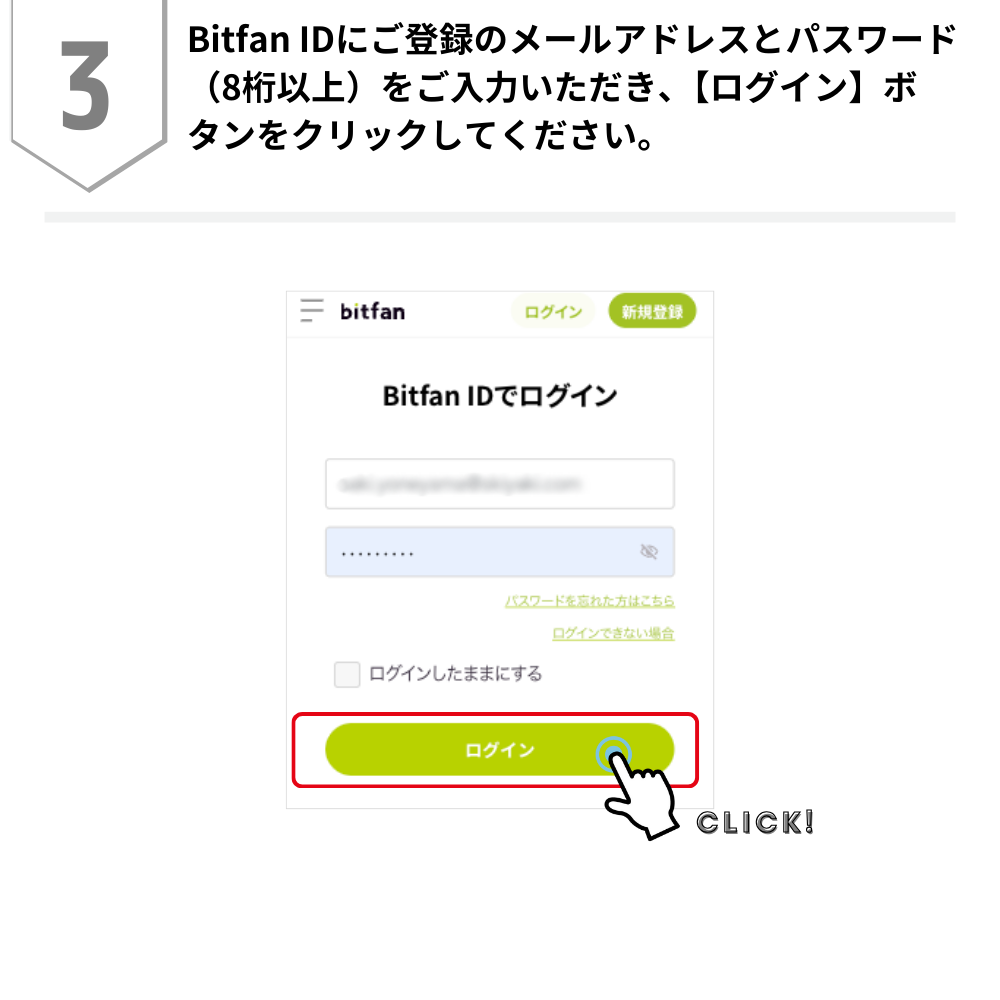
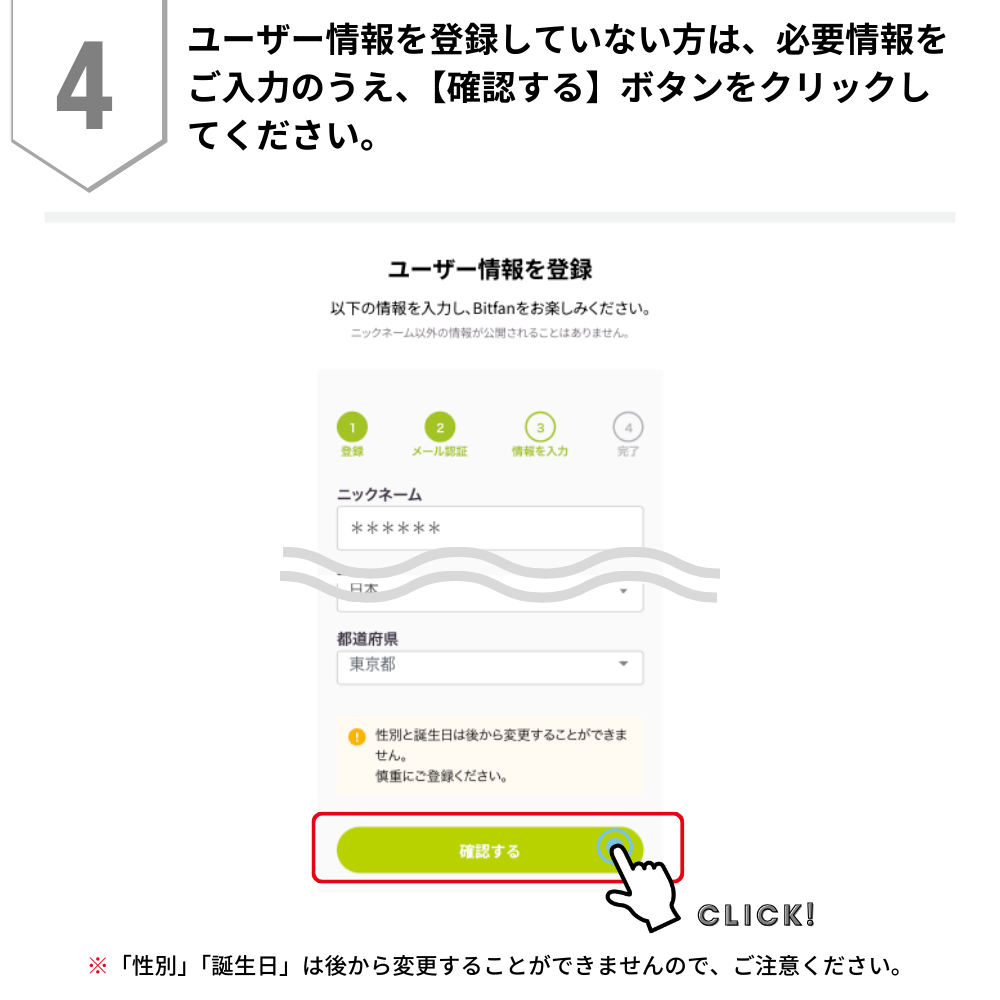
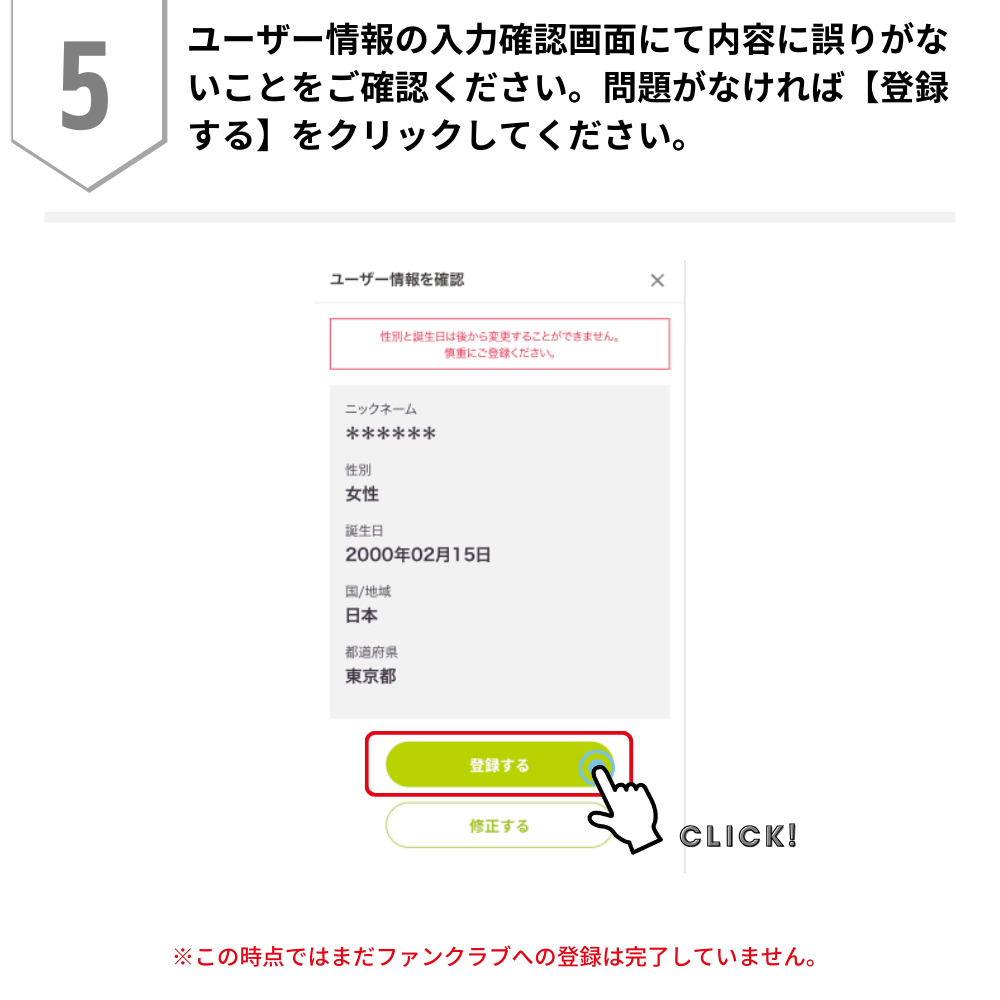
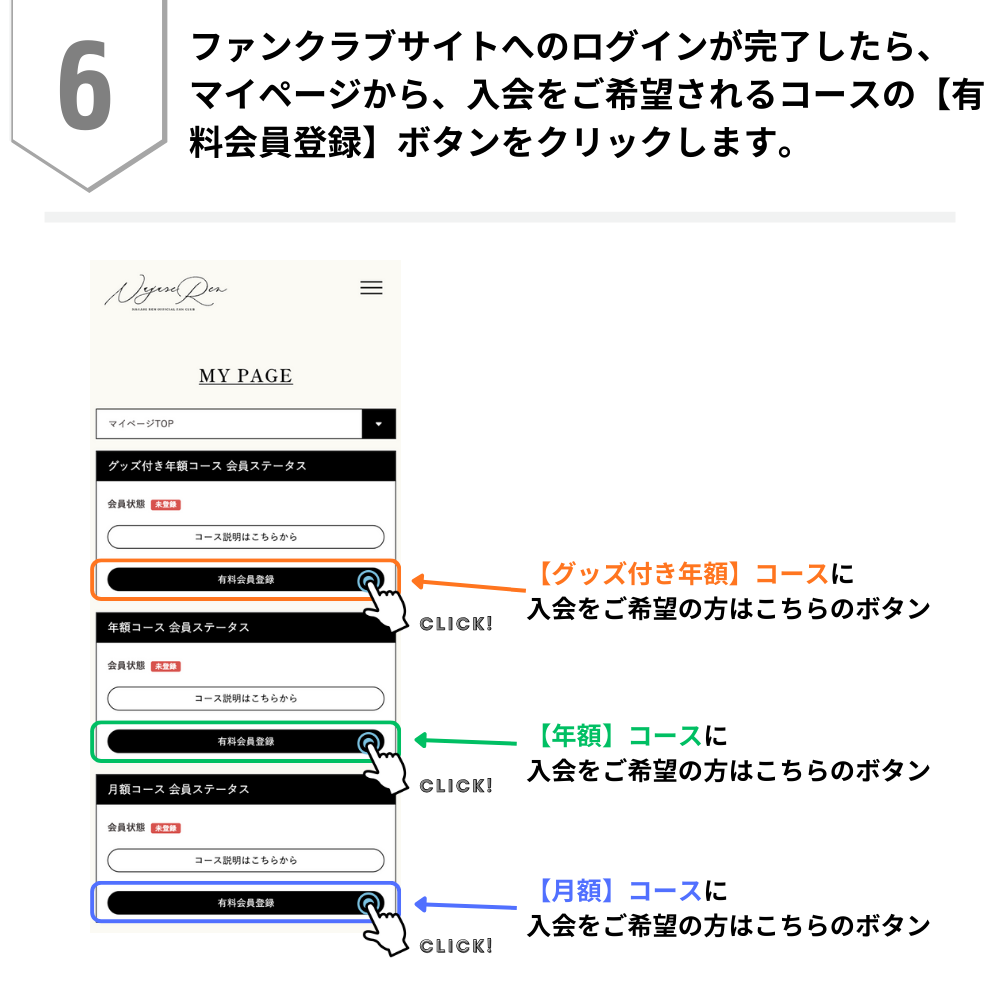
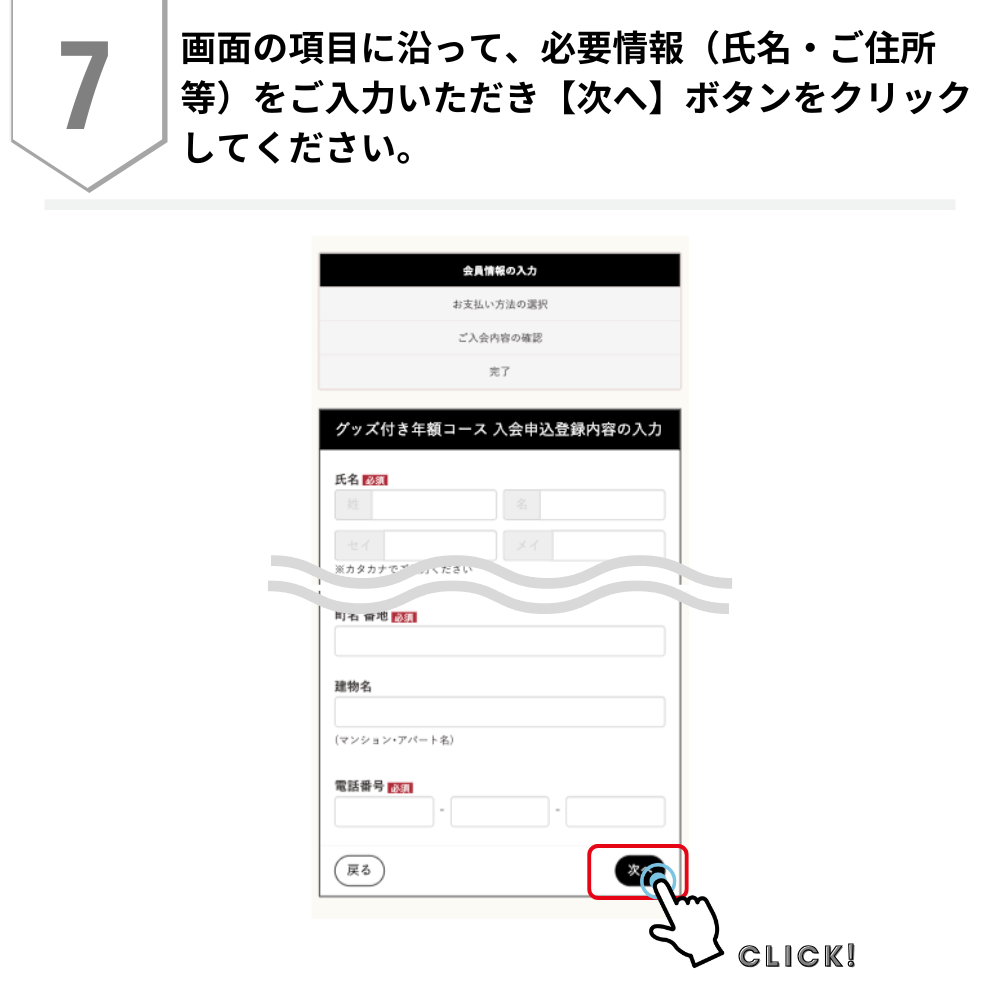
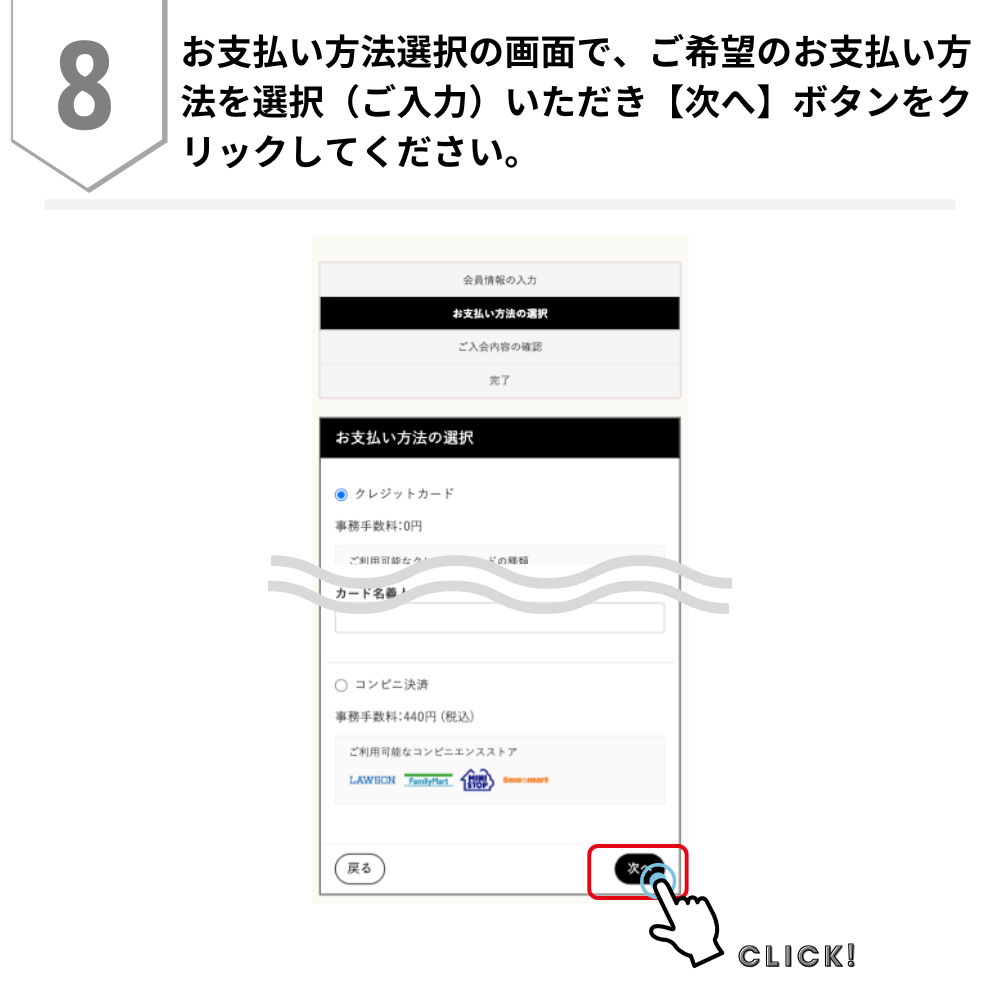
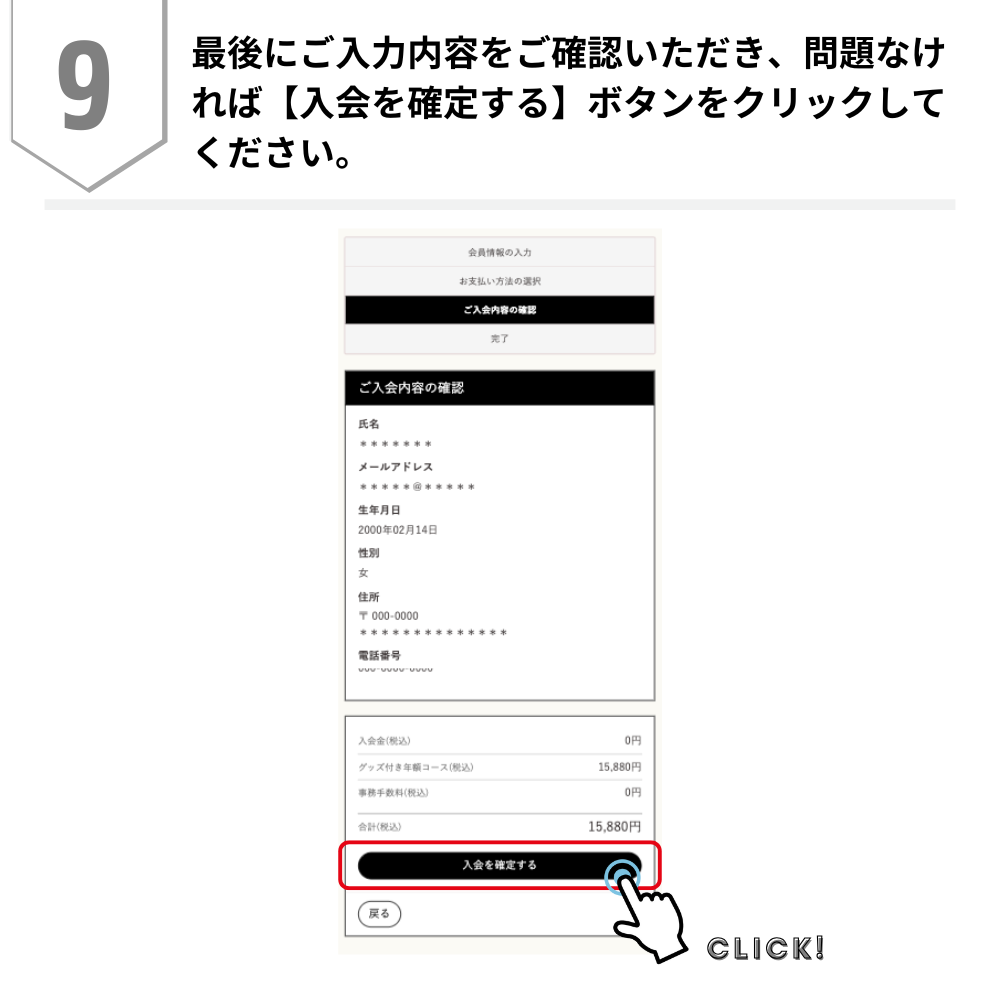
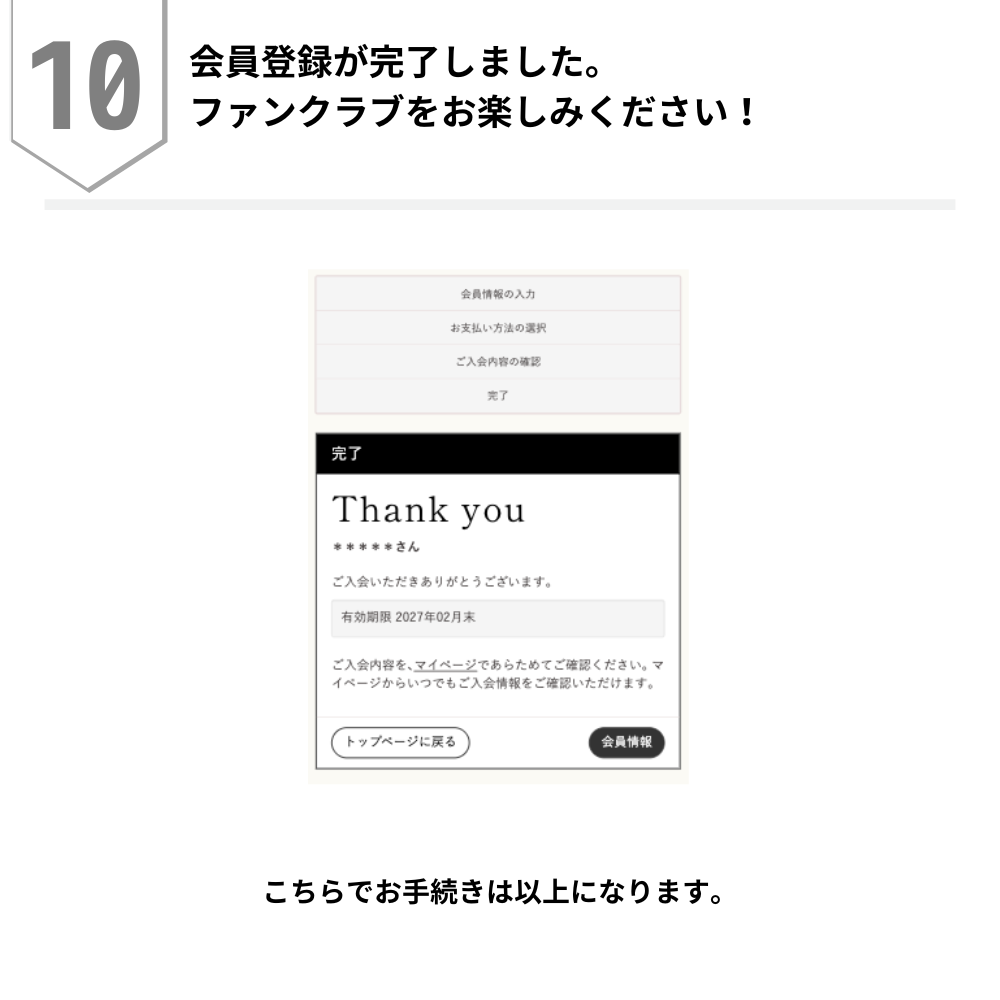
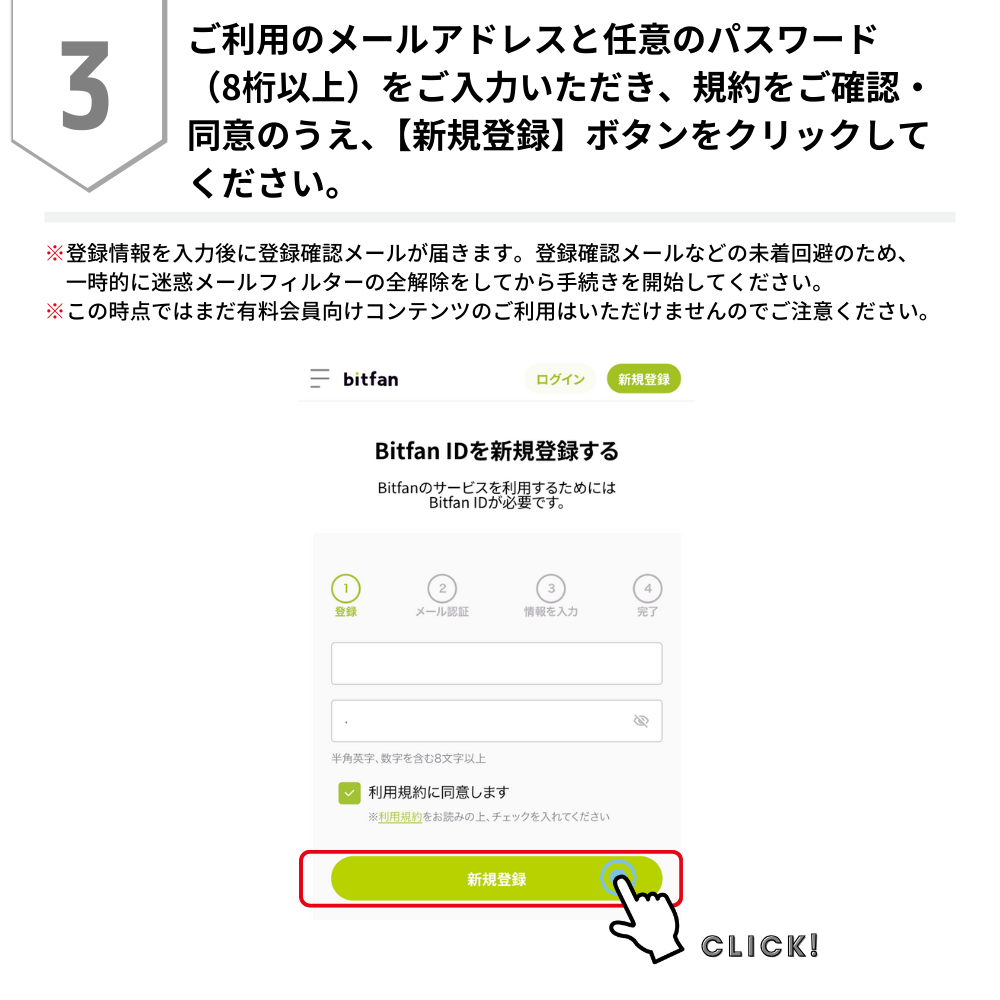
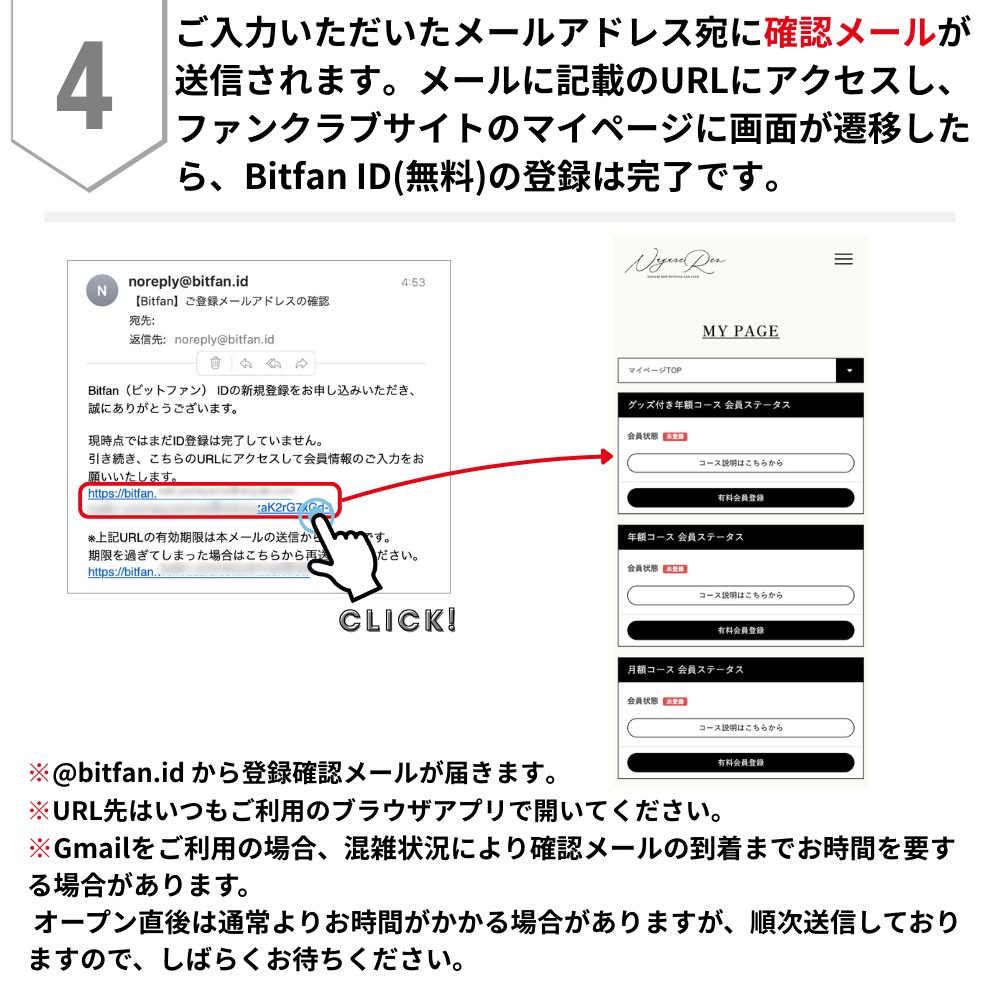
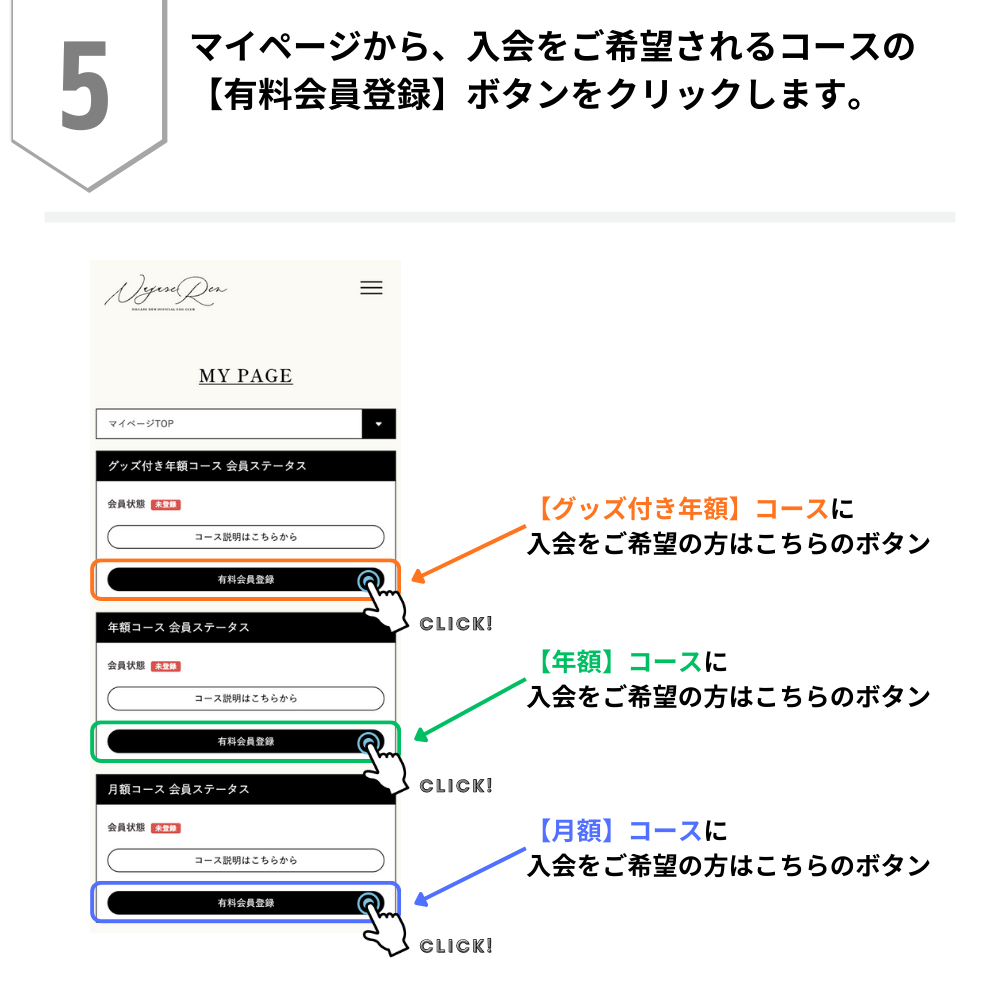
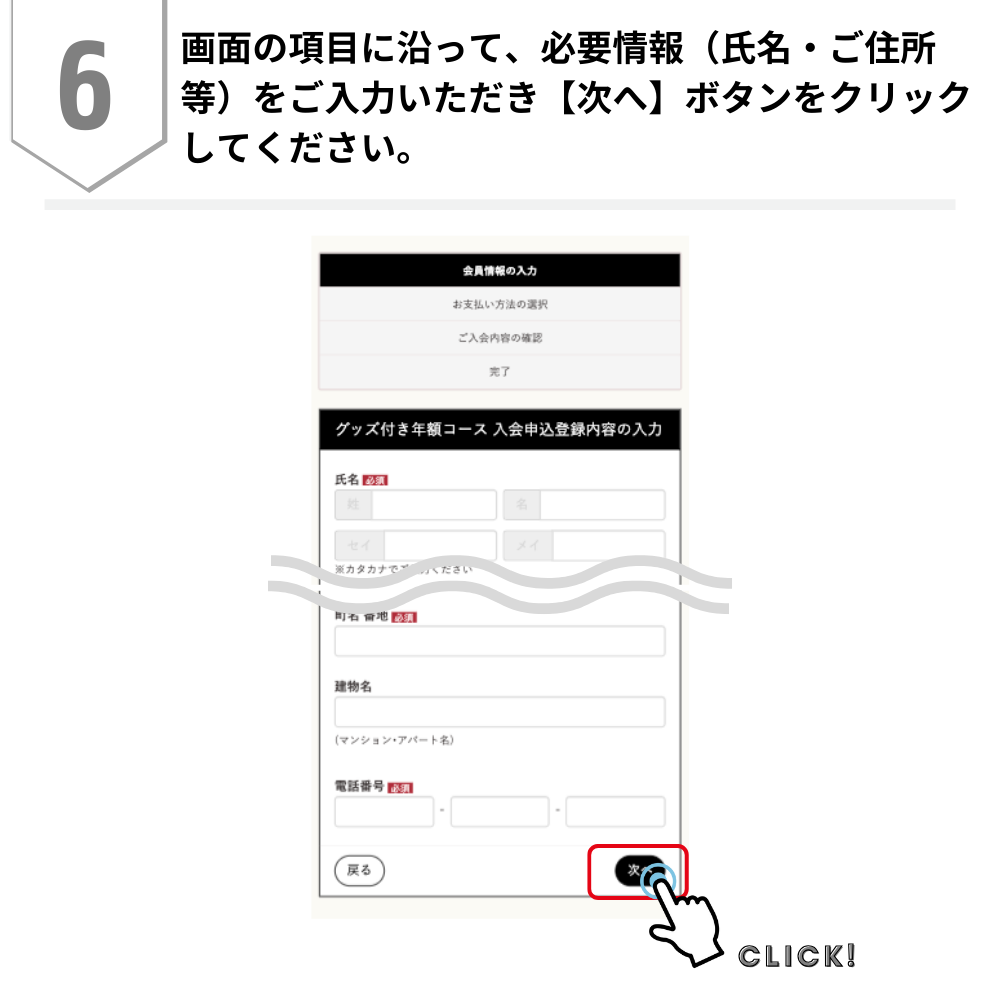
【Bitfan IDをお持ちでない方】入会手順を知りたい
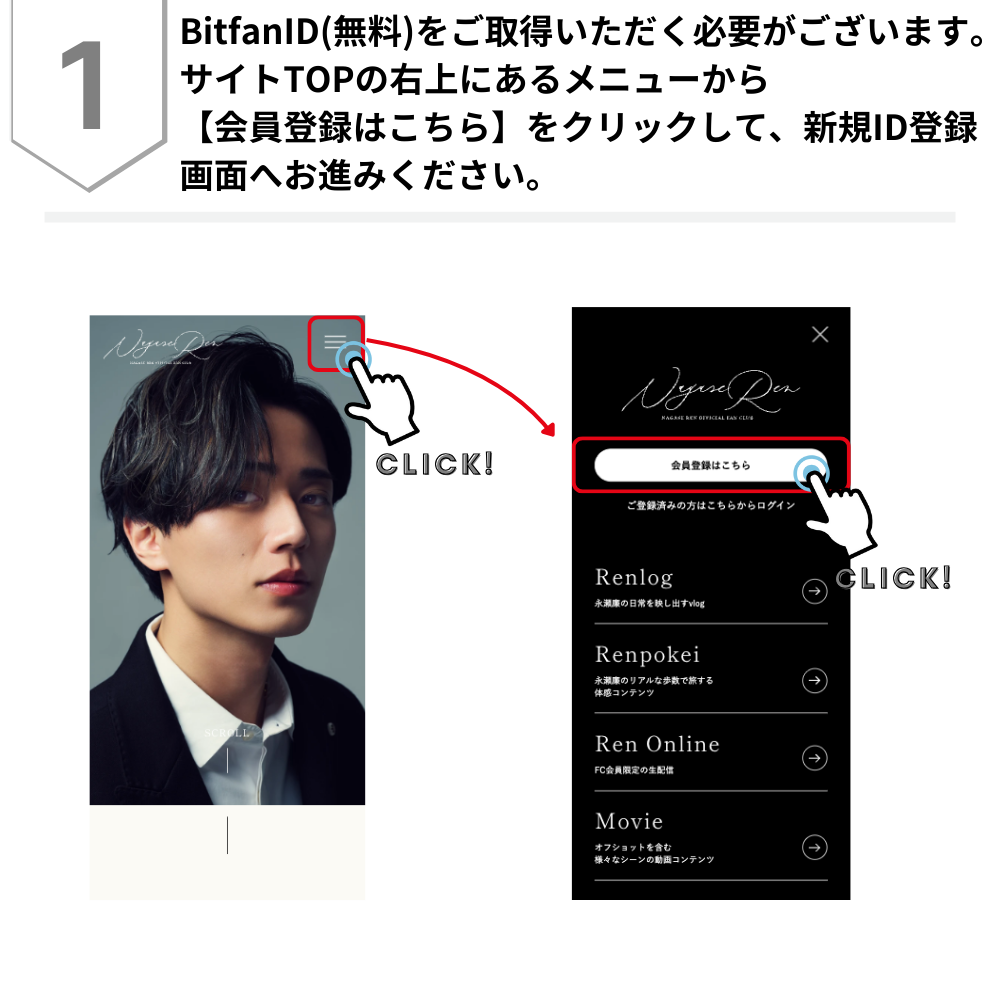
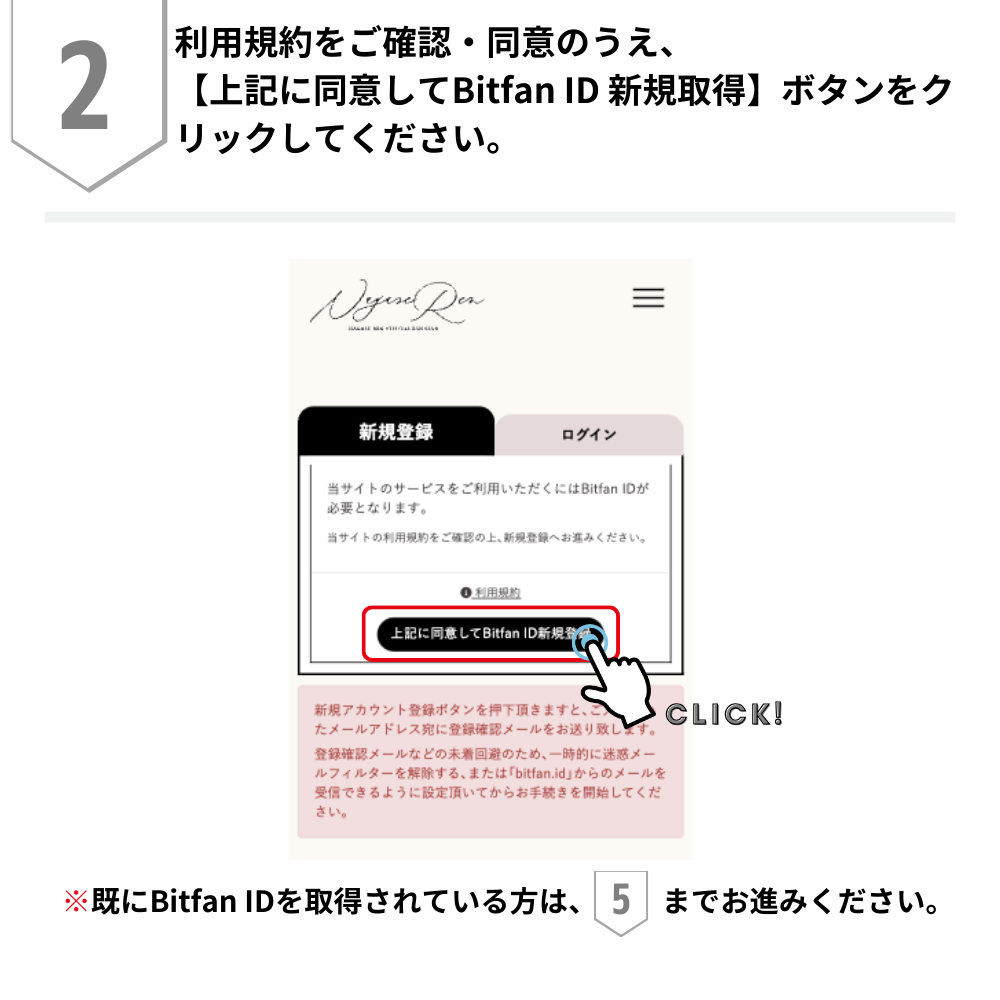
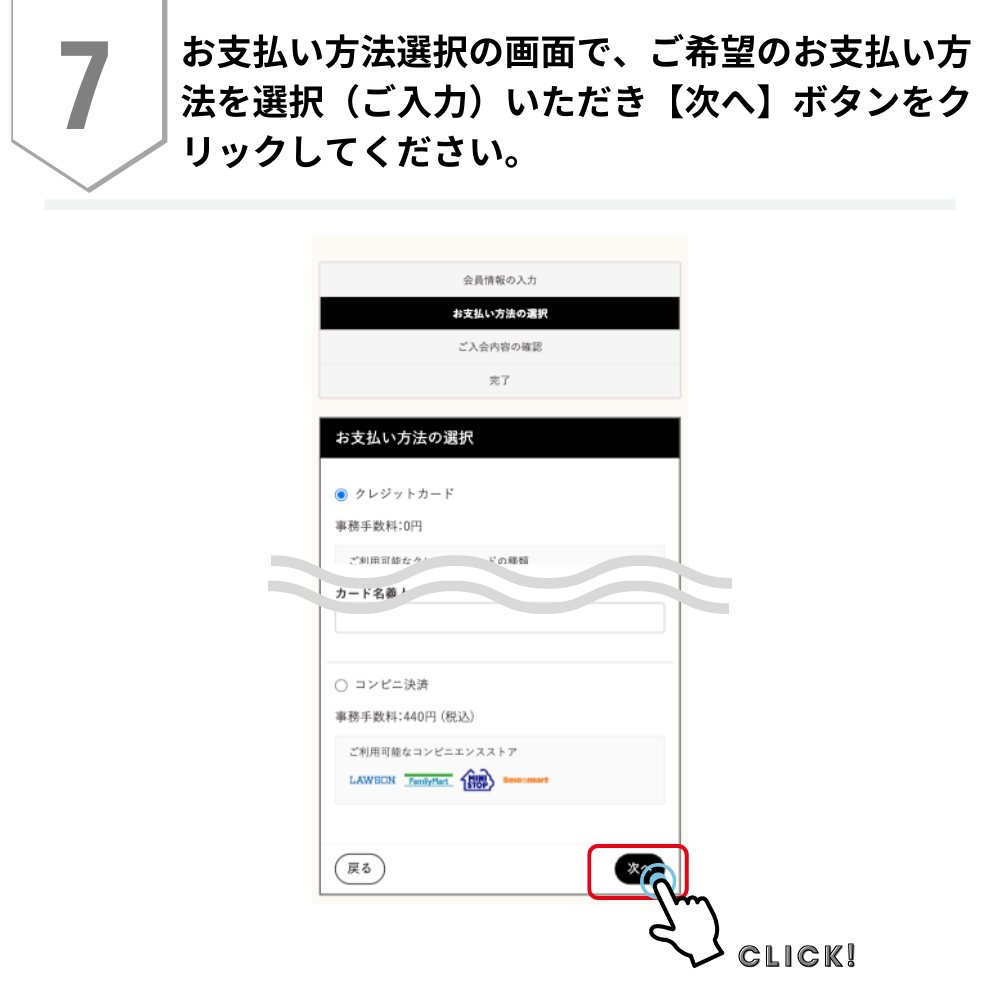
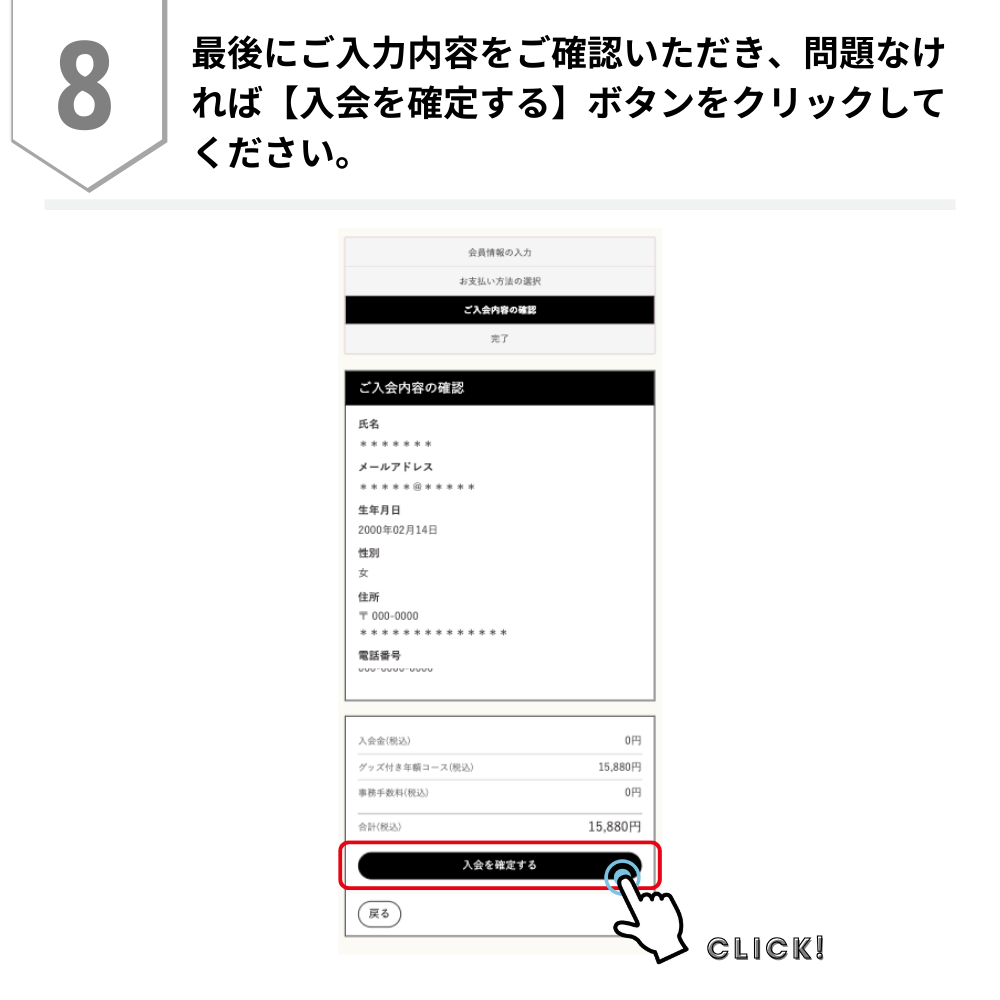
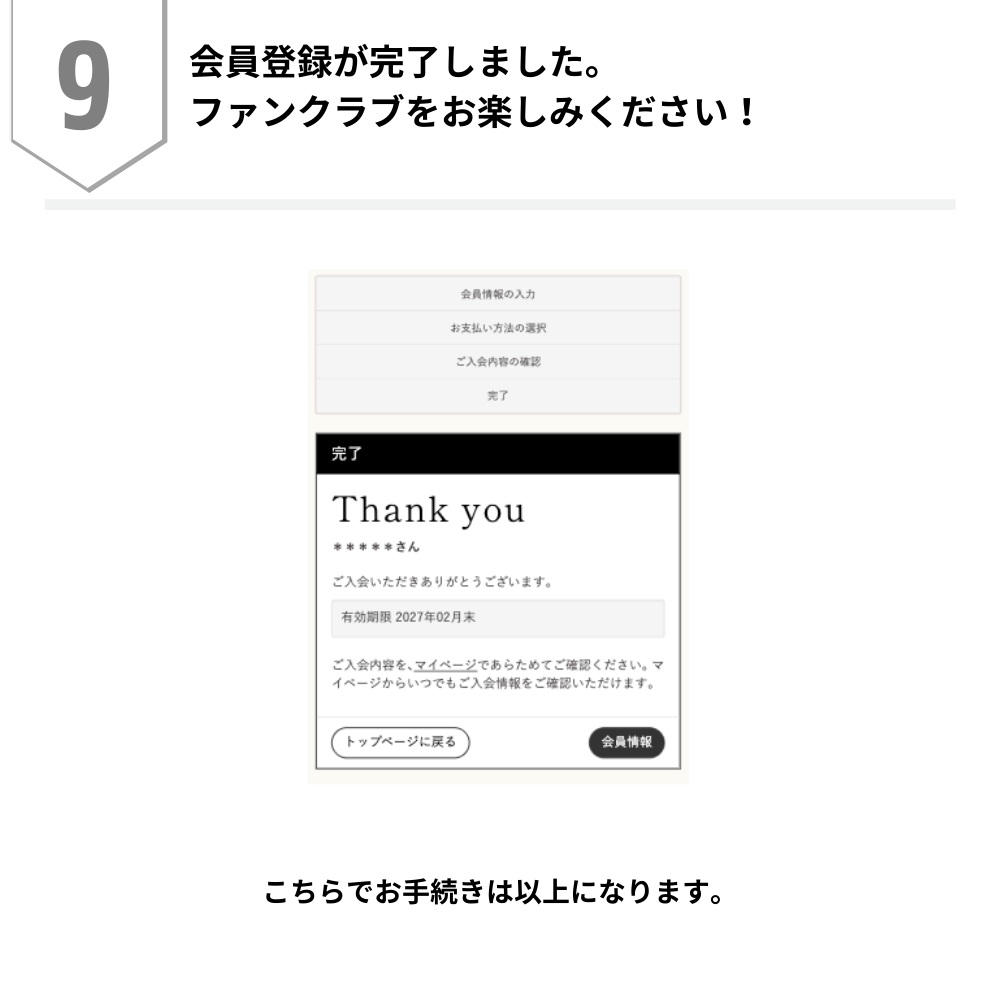
会員コースの変更方法
会員コース(月額コース、年額コース、グッズ付き年額コース)の変更をご希望の場合、一度、退会のお手続きが必要です。
退会または会員期限満了後、翌月末日までにご希望のコースに再入会いただくとコース変更が可能となります。
「月額コース」 にご入会中の方
サイトにログイン後、My Page(マイページ)にございます退会ボタンよりお手続きをお願いいたします。
退会後、1ヶ月以内に同じBitfan IDでご希望のコースにご入会いただければ、初回入会日含む会員情報はすべて引き継がれます。
例:3月中に退会手続きを行った方(または自動更新をオフにされていて、3月末で月額会員期間が終了された方)
→翌月4月中に同じBitfan IDで希望のコースにご入会ください。
「年額コース」「グッズ付き年額コース」にご入会中の方
有効期間内の退会はできませんので、有効期限満了後、コース変更が可能です。
自動更新設定をされている方は、必ず決済前日までに自動更新設定を【無効】に変更してください。
有効期限満了後、1ヶ月以内に同じBitfan IDでご希望のコースにご入会いただければ、初回入会日含む会員情報はすべて引き継がれます。
例:2027年2月28日まで「年額コース」で、「グッズ付き年額コース」に変更したい場合
→2027年3月1日〜2027年3月31日の間に、同じBitfan IDで「グッズ付き年額コース」にご登録ください
【注意事項】
※月額コースを退会された当月内の再入会は、退会された会員コースと再入会された会員コースで重複決済が発生いたしますのでご注意ください。なお、退会月の翌月中に再入会いただきますと、同月内での重複決済は発生せず、継続更新のお手続きを行うことができます。
※年額コース、グッズ付き年額コースについては、有効期間内の退会はできませんのでご注意ください。
※デジタルコンテンツの特性上、返品が不可能であるため、購入確定後のキャンセル・返金についてはお受けできませんので、あらかじめご了承ください。
メルマガが届かない
下記の可能性がございますのでご確認ください。
■”迷惑メール”として自動で振り分け・受信拒否されている
<パソコンメールアドレスの場合>
お使いのメールサービス、メールソフト、ウィルス対策ソフトなどの設定により「迷惑メール」と認識され、当サイトからのメールが届かない場合がございます。迷惑メールボックスなどすべての受信ボックスを今一度ご確認いただくか、お使いのサービス、ソフトウェアの設定をご確認ください。
<携帯メールアドレスの場合>
各携帯電話会社の迷惑メール防止機能やドメイン指定受信によりメールが届いていない可能性がございます。
「nagaseren-official.com」からのメールを受信できるよう、ドメイン指定受信に設定の上、お問い合わせフォームよりご連絡ください。
※メール受信設定に関しましては、ご自身で設定したお心当たりがない場合でも、キャリア(携帯電話会社)によっては初期設定でセキュリティが高く設定されている場合がございます。お問い合わせ前に必ず全てご確認をお願いいたします。
■正しいメールアドレスが登録されていない
「My Page(マイページ)」にてメールアドレスの登録情報をご確認ください。
パスワードを忘れた
会員登録をしたいのですが、登録確認メールが届かない
■登録確認メールの再送信
下記の迷惑メール設定をご確認いただいたうえで、こちらのページの「登録確認メール再送信」より登録確認メールの再送信をお試しください。
■迷惑メール設定のご確認
・docomoのユーザー様
メール設定 → 詳細設定/解除 → 受信/拒否設定 → 受信設定 → 個別に受信したいドメインまたはアドレスの入力欄にbitfan.idを入力 → 登録
・auのユーザー様
au oneトップ → auお客様サポート → 迷惑メールでお困りのお客様はこちら → 迷惑メールフィルター設定へ → 迷惑メールフィルター → 指定受信リスト設定 → 有効/リスト編集する → 指定受信リスト設定の入力欄にbitfan.idを入力 → 登録
au oneトップ → auお客様サポート → 迷惑メールでお困りのお客様はこちら → 迷惑メールフィルター設定へ → 迷惑メールフィルター → 指定受信リスト設定 → なりすまし・転送メール許可 → 登録数の入力欄にbitfan.idを入力 → 登録
au oneトップ → auお客様サポート → 迷惑メールでお困りのお客様はこちら → 迷惑メールフィルター設定へ → 迷惑メールフィルター → 個別設定【なりすまし規制】設定が(高)か(中)に設定されている場合は、設定を(低)に変更するか、設定しないに変更ください。
・Softbankのユーザー様
メールボタン → メール/PCメール設定 → メール・アドレス設定 → 迷惑・メールブロック設定 → 個別設定 → 受信拒否・拒否設定 → アドレスの入力欄にbitfan.idを入力 → 後方一致を選択 → 登録
・WEBメールをご利用のユーザー様
迷惑メールフォルダにメールが届いている場合がございます。恐れ入りますが、迷惑メールフォルダもご確認下さい。
■入力メールアドレスに誤りがある
メールアドレスをご確認の上、再度、新規アカウント登録手続きをお願い致します。